The AI workspace for real work

Less friction between the idea and the thing done. Klaus plans, edits files, runs commands and verifies results inside your real project — and checks with you before the moves that matter.

  1. All your subscriptions in one place

    Every subscription you already pay for plugs into one Klaus. Pick a model per chat, stop switching between clients, and actually use the quota you have.

    Subscription
    Claude, Codex, Qoder, Kimi and more
    API
    Any OpenAI-compatible service
    Billing
    Runs on your own quota; Klaus charges nothing on top
  2. Match the model to the difficulty

    Send the hardest calls to an advisor, complex work to a strong model, and simple jobs to a fast cheap one. Quality holds, and so do your costs and your wait times.

    Advisor
    Can come from another source; advises without acting
    Effort levels
    High, medium and low, each with its own model
    Routing
    The main model picks the level by complexity
  3. Work with a friend's agent

    Some work needs someone else's computer, files or judgement. @ a friend inside a task, their agent picks it up, and both agents push the same thing forward on their own machines.

    Friends
    Add each other by registered email
    Authorization
    They decide which folders and apps to open up
    Returning results
    Results come back to the chat you started

What people use Klaus for

From code changes to the checks you run every day — it's all real work.

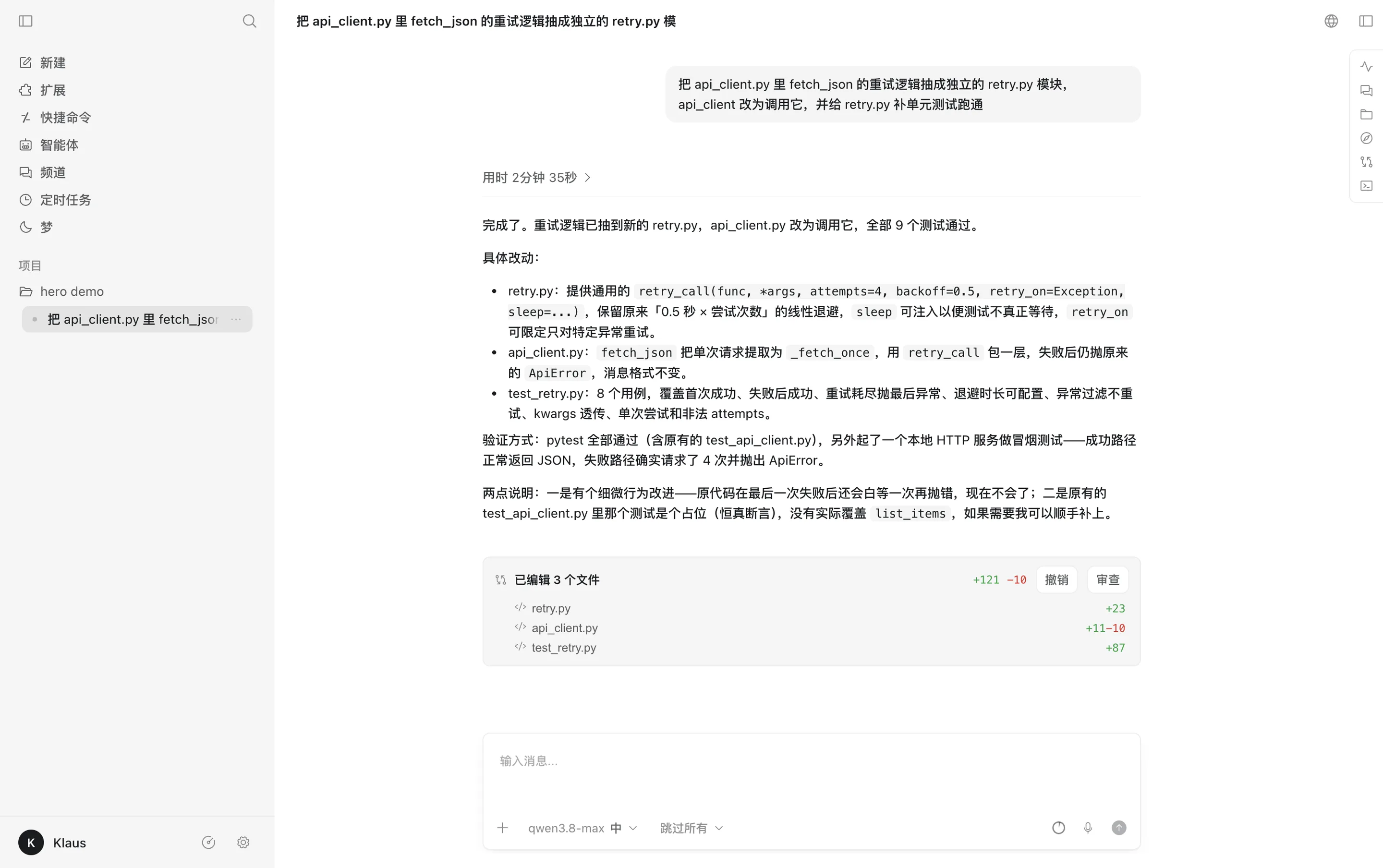
Klaus desktop finishing a refactor: the reply in the middle with a changes card for 3 edited files

Editing code in a real project

It reads your code, edits files and runs the tests, then tells you what changed and how it was verified. Changes are listed per file, and each can be undone or reviewed.

Example prompt

Extract the retry logic from fetch_json in api_client.py into its own retry.py module, have api_client call it, and add unit tests for retry.py until they pass
Get started

how they use

  • A cross-module refactor starts as a plan it waits on you to approve; afterwards each file is reviewed before anything is committed.

    Backend engineer
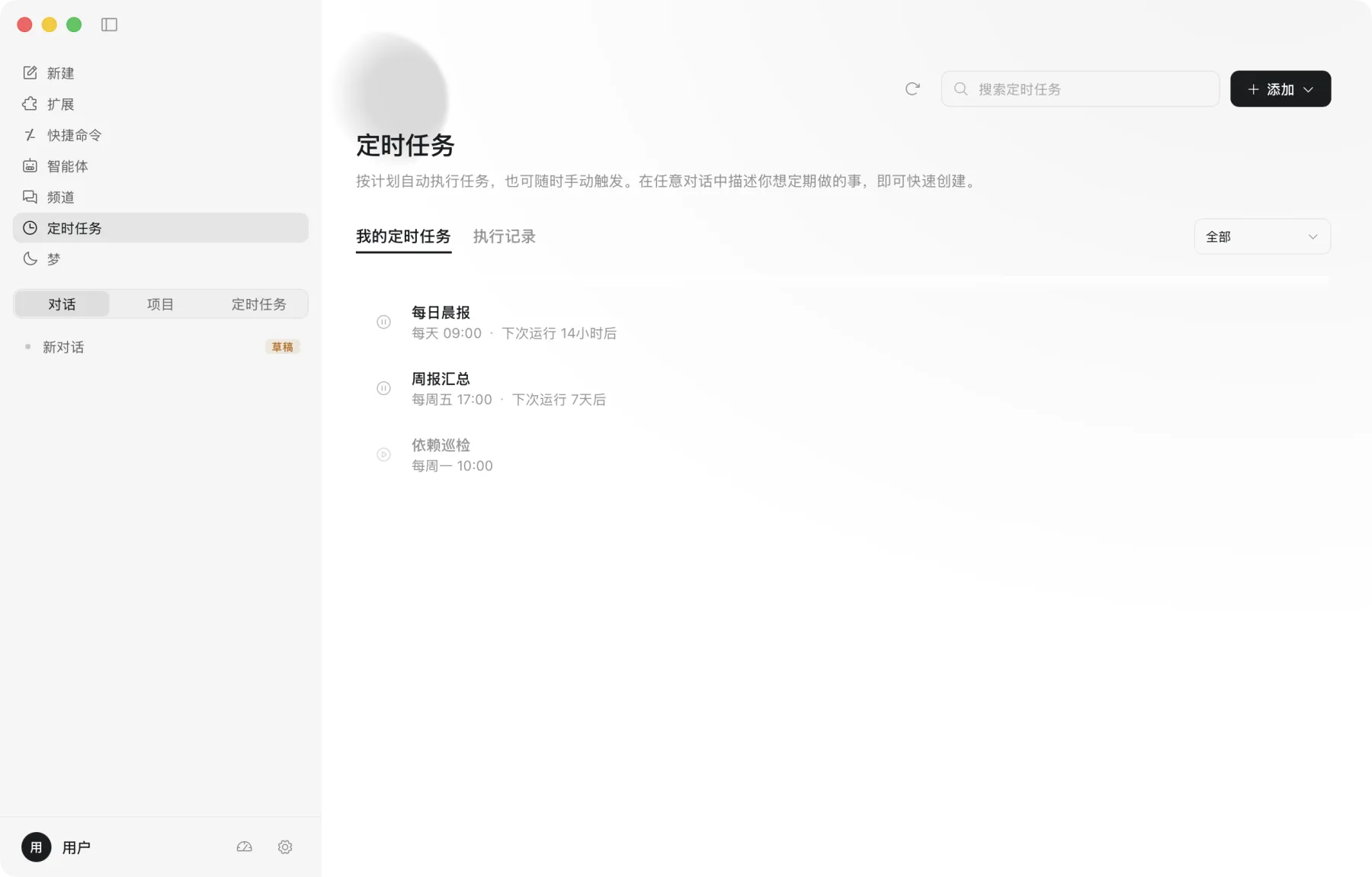
  • The dependency check runs as a nightly scheduled task, so the findings are waiting first thing in the morning.

    Operations lead
  • Runs klaus review in the terminal before merging; every finding comes with its evidence, and the call on what to fix stays theirs.

    Full-stack engineer
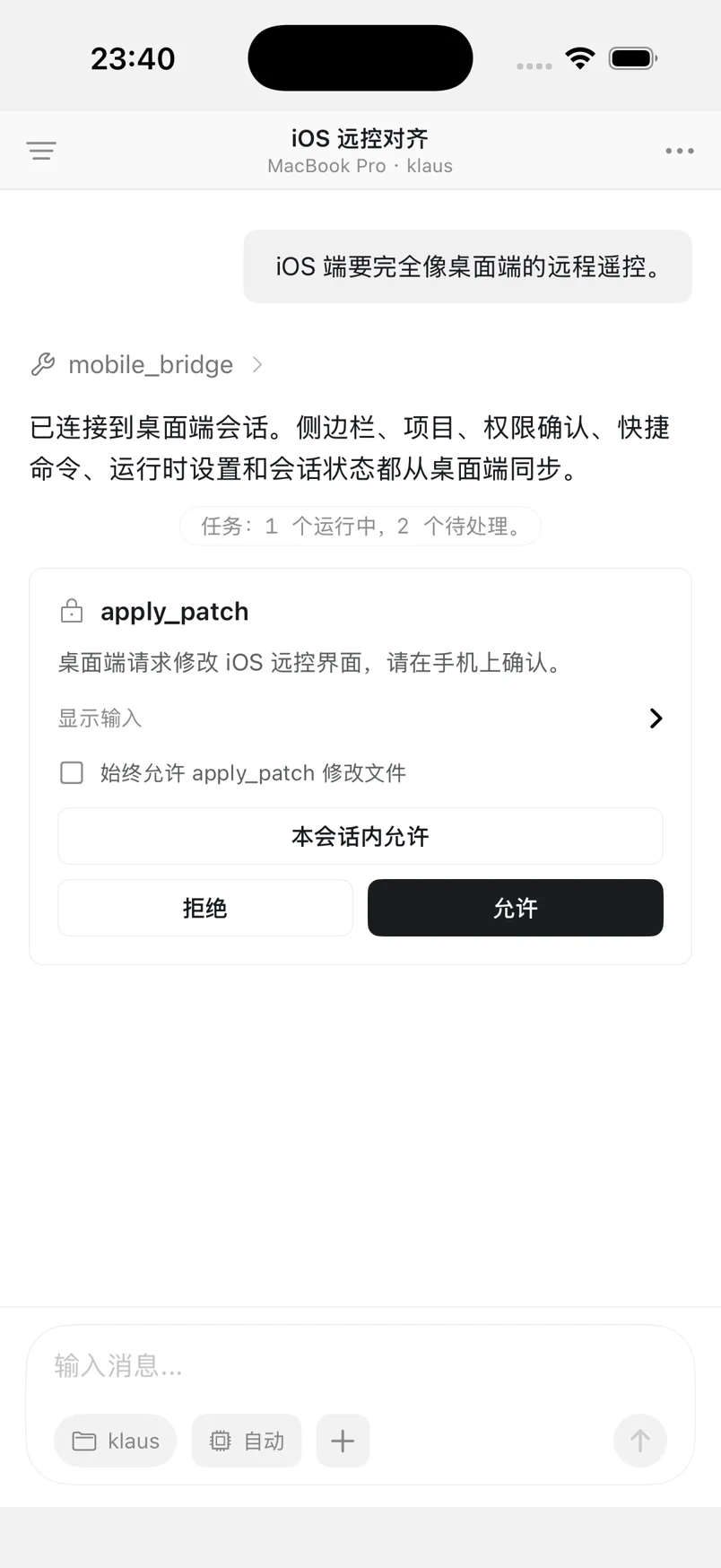
  • Clears permission requests from an iPhone on the commute, and the task has moved on by the time they reach the office.

    Indie developer
  • Hands over tasks right inside the real project folder; the changes land in the files themselves, with no copying code back and forth.

    Startup technical co-founder
  • Connects the model subscription they already have for data cleaning and analysis; it runs on their own quota, and Klaus charges nothing on top.

    Data analyst
  • With memory on, the team's release process and weekly-report format are remembered, so they never have to be explained twice.

    Engineering manager
  • No command line to learn: pick a project folder, say what you want in one sentence, and it starts.

    Product manager

You choose the model

Plug in your own Claude Code, Codex, Qoder, Kimi, MiniMax or Zhipu subscription, or enter an OpenAI-compatible endpoint. It runs on your account and your quota — Klaus neither meters nor reports it — and each of the high, medium and low effort levels can use a different model.

  • Claude CodeSubscription
  • CodexSubscription
  • QoderSubscription
  • KimiMembership or API key
  • MiniMaxM Plan
  • Zhipu GLMCoding Plan
  • QwenWorkSubscription
  • OpenAI-compatibleCustom API